
RetroArch
LibretroAction
3.84.49K Reviews
- Version
- 1.22.2 (2026-08-26)
- Installs
- 5.00M
- Age Rating
- Everyone
Screenshots
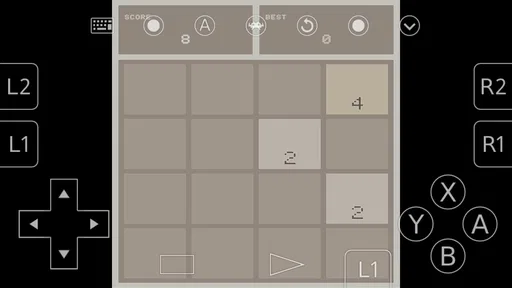
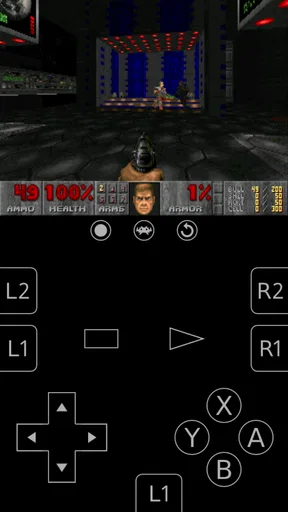
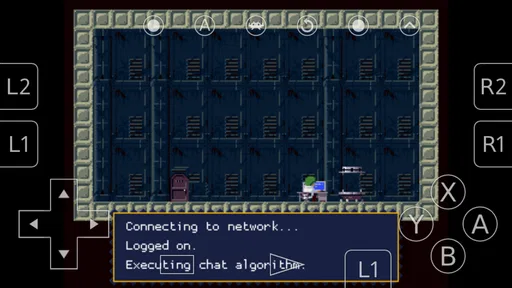
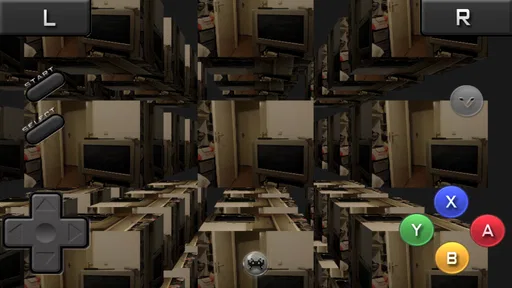
Our Review of RetroArch
 Analysis by Appyee
RetroArch is the kind of Android game that makes sense only after you understand what you want from it. It is a free action-focused front end for retro games and emulators, developed by Libretro, and it has been available since early 2014. I would not describe it as a simple game you open for a quick round. I see it more as a flexible hub for people who want to bring older gaming experiences together on one device and are willing to spend time learning the setup.
That distinction matters. If you want something that installs, opens, and immediately gives you a polished modern campaign, this is probably the wrong direction. If you already enjoy classic games, want more control than a single-purpose emulator offers, or like organizing a personal retro setup, it can become remarkably useful. My experience is that the main challenge is not the emulation idea itself; it is understanding how the different parts of the application fit together.
What to decide before choosing RetroArch
The first question I would ask is whether you want convenience or control. A conventional emulator usually focuses on one platform or one type of experience. That can make the first few minutes easier because the menus, controls, and settings are designed around a narrower purpose. RetroArch takes a broader approach. It brings different emulation options into one interface, which is convenient once configured but less friendly when you are starting from scratch.
The second question is how you plan to play. Touch controls can be enough for slower games, menu-driven adventures, and short tests, but they are not my preferred choice for action games that demand quick, precise input. A physical controller can make the experience much more comfortable, although connecting and mapping one adds another step. If you are buying or carrying a controller specifically for this, include that effort in your decision rather than treating the application as a complete replacement for a dedicated handheld.
There is also a legal and practical question around game files. RetroArch provides the environment for running compatible retro software, but I would not approach it as a source of games. You need to understand where your files come from and whether you have the right to use them. That is not a minor detail: the quality of your library, the organization of those files, and the compatibility of each system all affect your experience far more than the store summary suggests.
For someone who wants a living-room-style retro collection, the attraction is clear. One interface can reduce the need to jump between several unrelated emulator apps. For someone who only wants to replay one particular title, however, a focused emulator may be easier. My recommendation depends less on technical ambition than on patience. RetroArch rewards curiosity, while simpler alternatives reward immediacy.
The first setup takes more thought than the download
Installation itself is not the difficult part. The application is free, suitable for Everyone, and runs on Android devices using version 5.0 or later. The real work begins when you explore the interface, choose the appropriate emulation component, locate your game files, and decide how you want saves, controls, and display options to behave.
I recommend setting up one system at a time instead of importing an entire collection immediately. Start with a game you already know well. That gives you a useful reference for sound, input response, picture quality, and save behavior. If something feels wrong, you can identify the problem without sorting through several systems and unfamiliar menus at once.
One practical habit is to keep your game files and save files organized before you begin scanning. A tidy folder structure makes later troubleshooting much easier. It also helps you recognize whether a problem comes from the file, the selected core, or a control setting. Scanning everything at once may look efficient, but it can make a first setup harder to understand and maintain.
Another useful approach is to treat settings as profiles for situations rather than as a single perfect configuration. A television, a phone held in portrait orientation, and a controller connected for longer sessions may each need different choices. Trying to make one arrangement serve every situation can lead to awkward controls or unnecessary visual adjustments.
Where RetroArch wins for a committed retro player
The biggest strength is consolidation. Instead of learning a different interface for every emulator, I can build a broader retro setup around one application. That creates a consistent place to browse, launch, save, and adjust games. The benefit becomes more obvious as a collection grows. With only one or two titles, the extra structure may feel unnecessary; with many systems represented, it can prevent the phone from becoming a folder full of disconnected tools.
Its flexibility is also valuable when a game does not feel right under default settings. RetroArch gives me room to adjust the experience rather than simply accepting whatever a particular emulator decides is best. That can include changing controls, display behavior, and other emulation options. The trade-off is that every extra choice creates another opportunity for confusion, so I would change one setting at a time and test it before making a long list of adjustments.
One less obvious advantage is repeatability. Once I have a working configuration for a system, I can use that arrangement as a reference for future games instead of starting from zero every time. This is especially helpful when I play across different devices or return to a title after a long break. Writing down the few settings that matter to me may sound excessive, but it saves time when an update, a new device, or a changed controller mapping interrupts the routine.
Save management is another area where a little discipline pays off. I prefer to use normal in-game saves whenever a title supports them, then treat emulator save states as a convenience rather than my only backup. Save states are excellent for pausing at awkward moments or practicing a difficult section, but relying on them exclusively can make a library harder to move or recover. I also avoid creating dozens of nearly identical states because that quickly turns a helpful feature into clutter.
RetroArch can be particularly good for comparing how older games feel across different control methods. I might begin with touch input to check whether a title is worth revisiting, then connect a controller for a longer session. That makes the phone useful in short bursts while still allowing a more comfortable setup at home. The application is not just a launcher in this situation; it becomes a way to shape the same library around different moments in the day.
A realistic everyday use case
Imagine having twenty minutes during a commute or a lunch break. I would not begin by browsing every menu. I would open a familiar game, use a previously tested control layout, and play from a regular save rather than experimenting with advanced options. Later, at home, I could connect a controller and continue the same title with a more deliberate setup. That workflow is where the unified approach starts to feel worthwhile.
There is a second scenario that shows both its strength and its weakness. Suppose a friend recommends an older action game and you want to test it quickly. RetroArch can make that possible without installing a new emulator for every platform, but only if the relevant setup is already understood. If you are starting with no configured cores, no organized files, and no controller mapping, the “quick test” can become a small technical project.
What the user community numbers suggest, without replacing judgment
The application has passed five million installs, with an average rating of 3.8 from roughly forty-seven thousand ratings and about four and a half thousand written reviews. I read that combination as a sign of broad interest mixed with a learning curve. A large audience has found value in the concept, but the rating is not so high that I would assume every device and every user experience will be effortless.
That matches my own view. The people who enjoy control and customization are likely to appreciate it more than people who judge an app by how quickly it reaches the first playable screen. Reviews for this kind of tool can also vary widely because hardware, game files, controllers, and chosen settings all influence the result. I would treat the rating as a useful signal, not as a substitute for deciding which kind of emulator experience suits you.
Where a simpler alternative may fit better
A single-system emulator is usually the better choice when your goal is narrow. If you only care about one platform, the focused application may present fewer menus and clearer defaults. It can also be easier to troubleshoot because there are fewer layers between the game and the interface. I would choose that route for a family member who wants one familiar library and does not want to learn technical terminology.
A dedicated handheld may be preferable when physical controls, battery comfort, and a device designed around gaming matter more than using the phone you already own. RetroArch can make an Android phone surprisingly versatile, but it cannot change the feel of a flat touchscreen into that of a purpose-built handheld. If you play action games for long sessions, ergonomics may matter more than the breadth of the software.
Cloud or streaming options can fit a different kind of player as well, particularly someone who wants access without managing local files. That convenience comes with its own dependence on the surrounding service and connection, while RetroArch is centered on local organization and device-based play. I would not call one universally better. They solve different problems: one reduces setup, while the other gives me more direct control over the collection and the way it runs.
The most important limitation is the interface. It can feel dense, and terminology that makes sense to experienced emulator users may not be obvious to newcomers. I would not recommend it as a casual gift unless the recipient already enjoys tinkering. Even when a game runs correctly, finding the right menu or understanding why a controller behaves differently in one system can interrupt the fun.
Performance expectations also need to be realistic. The minimum operating system is Android 5.0, but that does not mean every device will deliver the same result with every system. The phone’s hardware, the selected core, the game, and the chosen enhancements all matter. I would begin with conservative settings, confirm stable play, and only then experiment. Chasing the sharpest image or the most advanced effect can create more problems than it solves.
The cost of switching from another emulator
Because RetroArch is free, the financial barrier is low. The real cost is time. Moving from a separate emulator means learning a new interface, checking how existing saves are handled, remapping controls, and possibly reorganizing files. That effort is worthwhile if you want one broader library and a consistent workflow, but it may not be worthwhile if your current emulator already does exactly what you need.
I would make the switch gradually. Keep the old setup available, choose one system, and move a small number of games first. Test regular saves and any save states before deleting anything. This avoids turning a hobby into a recovery exercise. It also gives you a fair comparison: you can judge loading, controls, menus, and comfort using the same game rather than relying on general impressions.
One trade-off that is easy to overlook is maintenance. A unified application reduces the number of separate apps to manage, but it concentrates more responsibility in one place. If you change a global setting without understanding its effect, several games may behave differently at once. I prefer making small, documented changes and keeping a known-good configuration for each system. That habit makes the flexibility feel helpful instead of unpredictable.
Another trade-off concerns portability. A carefully arranged setup can be satisfying to move between devices, but the process is not automatically effortless. Files, saves, mappings, and preferences may each need attention. Before changing phones, I would make a clear backup of the library and saves, then test a small transfer. It is much easier to discover a missing piece before the old device is wiped.
My recommendation after weighing the alternatives
I recommend RetroArch to Android users who want a broad retro setup, enjoy learning how their tools work, and value having many emulation options gathered under one roof. It is especially appealing if you already own a controller, keep your files organized, and are comfortable testing settings patiently. For that audience, the free price and wide scope make the initial learning effort easier to justify.
I would skip it if you want instant simplicity, dislike troubleshooting, or only plan to play one system occasionally. In those cases, a focused emulator or a dedicated gaming device may offer a smoother path. I would also avoid choosing it solely because it sounds like the most powerful option. Extra control is useful only when you are prepared to use it responsibly and keep your setup understandable.
Libretro continues to maintain the project, and the current version is 1.22.2, dated August 26, 2026. That gives the application a current place in the Android retro scene, but version information alone does not remove the need to test your own device and preferred games. I would install it with one clear goal, not with the expectation that every title will be perfect without adjustment.
After using it as a decision rather than a novelty, my conclusion is balanced: RetroArch is best understood as a customizable retro gaming workspace, not a plug-and-play game collection. When that sounds appealing, it can replace several scattered tools and make an Android phone feel like a carefully arranged personal library. When it sounds like work, choose the simpler alternative and enjoy the games without forcing yourself through a setup you never wanted.
Verdict
Strengths of RetroArch
- Supports a huge range of classic consoles through downloadable cores.
- Highly customizable controls, shaders, menus, and video settings.
- Save states and rewind make difficult retro games more accessible.
- Available on Android, iOS, and many other platforms.
- Open-source project with frequent updates and community support.
Limitations of RetroArch
- Initial setup can be confusing for users unfamiliar with emulation.
- Finding and configuring the right core takes extra time.
- Performance varies depending on the device and selected core.
- Touchscreen controls are less comfortable for long gaming sessions.
- Users must provide their own legally obtained game files.
Similar Picks in This Category
View All
Temple Run 2: Endless Escape
Imangi Studios4.1

PUBG MOBILE
Level Infinite4.3

Free Fire: 9th Anniversary
GARENA INTERNATIONAL I4.4

Talking Tom: Hero Dash Run
Outfit7 Limited4.3

slither.io
Lowtech Studios3.9

Sniper 3D:Gun Shooting Games
Wildlife Studios4.6
Frequently Asked Questions
What is RetroArch, and what can I use it for?
RetroArch is a multi-system emulation frontend that lets you play games from many classic consoles and computers through downloadable emulator cores. Instead of installing a separate app for each platform, you manage supported systems, game files, settings, save states, shaders, and controllers in one interface. Its capabilities depend on the core, device, operating system, and legally obtained game files.
Does RetroArch include games, and is it legal to use?
RetroArch itself generally does not include commercial games. You normally need to provide your own legally obtained game files, often called ROMs, and sometimes BIOS files required by particular cores. The legality of downloading, copying, or sharing these files varies by country and copyright status. Before using RetroArch, check local laws and the terms that apply to the games and firmware you own.
Is RetroArch difficult to set up on Android or iOS?
RetroArch offers extensive customization, but its menus and terminology can feel complicated at first. You may need to install cores, scan folders, configure permissions, map controls, and adjust video or audio settings. Android users usually have more flexibility with file access and controllers, while iOS restrictions can affect installation methods and file management. Beginners should expect some initial setup time.
Which controllers and devices work with RetroArch?
RetroArch can work with touchscreen controls, Bluetooth gamepads, USB controllers, keyboards, and, depending on the device, other compatible input accessories. Controller support may vary by phone, operating system, connection method, and emulator core. Most games are more comfortable with a physical gamepad. You may need to manually remap buttons, especially when using unusual controllers or older console layouts.
What features make RetroArch different from other emulators?
RetroArch combines multiple emulator cores with features such as save states, rewind, shaders, screenshots, netplay support, achievements on compatible systems, controller profiles, overlays, and customizable video settings. It also provides a consistent interface across platforms. However, not every feature works equally well with every core, and advanced options can require experimentation to achieve smooth performance and accurate audio or graphics.
Play our best games!


